 For iPhone, iPad, Mac & Vision
Stop planning. Start doing.
ToBlock turns scattered thoughts into a time-blocked day on your daily timeline. You assign the time — each block sits on your day, and it can also become a native Apple Calendar event. Less stress, more done, nothing forgotten.
- 14-day free trial
- You place the blocks
- No account needed
From To-Do List to a Daily Timeline — You Place the Blocks
A to-do list tells you what to do. A daily timeline tells you when. ToBlock is that timeline — and a block can also become an Apple Calendar event.
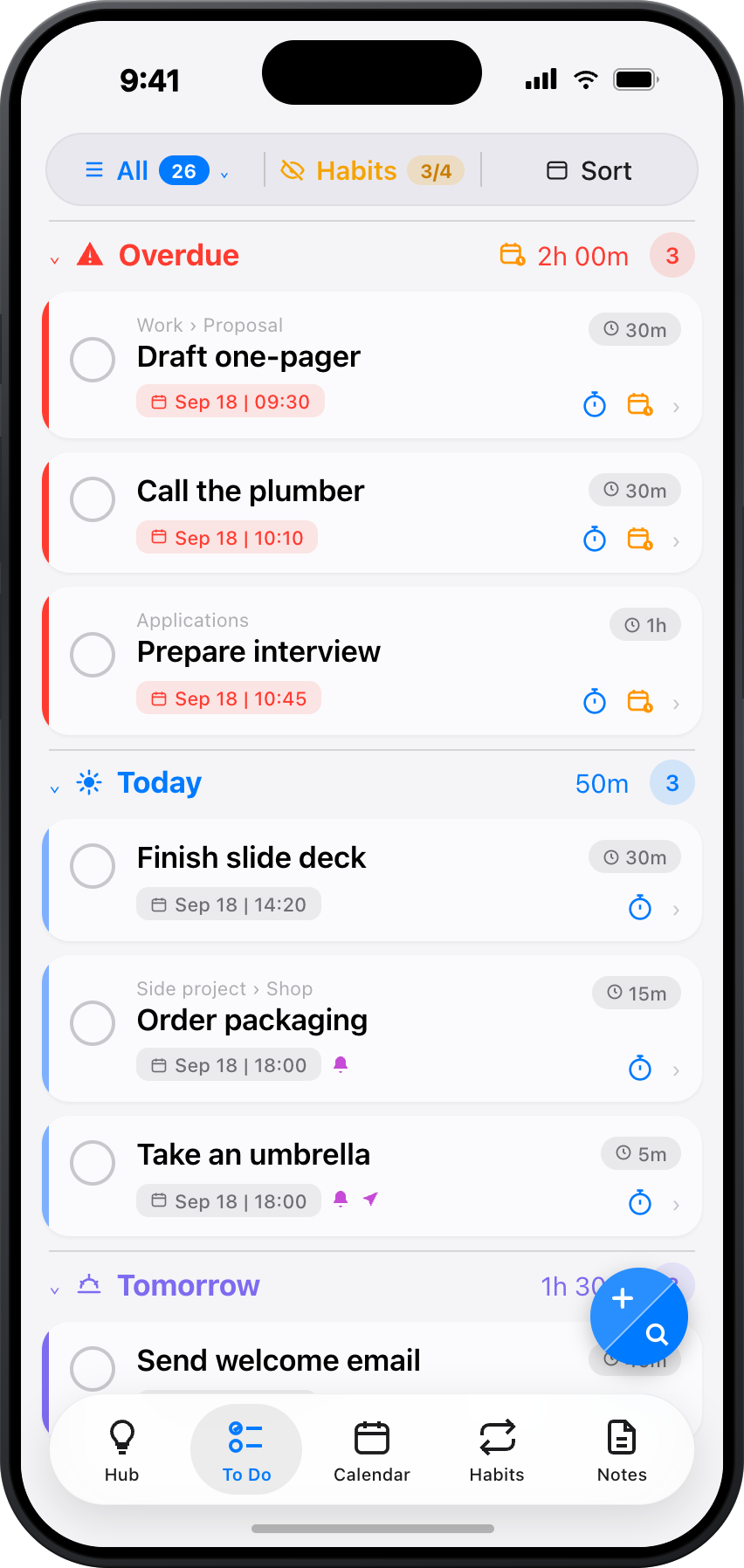
Your Tasks
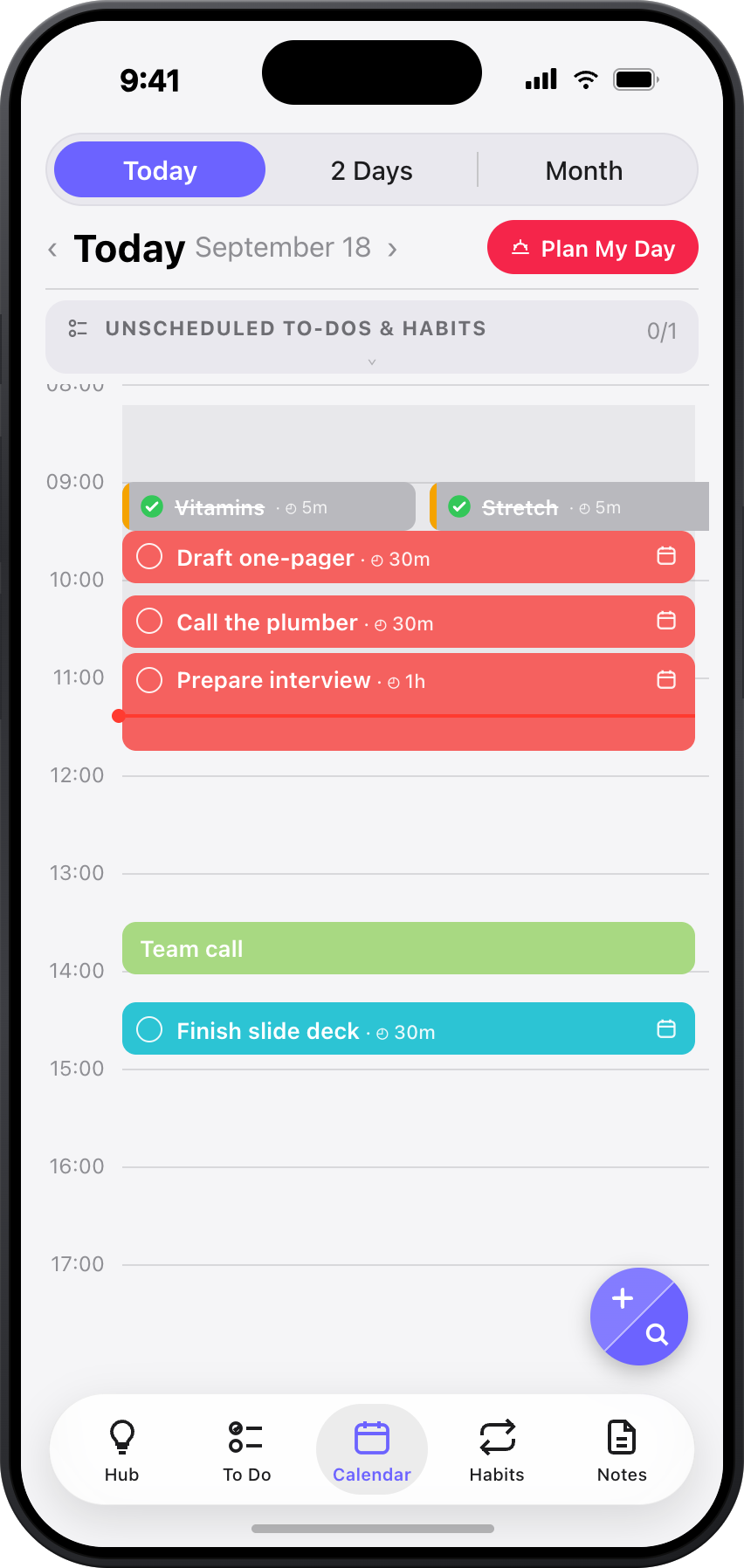
On your timeline
Add tasks with durations and priorities. You place each block on your daily timeline — ToBlock can also write it to Apple Calendar, warns on collisions, and you decide. Unfinished tasks wait for Plan Tomorrow.
Most people write to-do lists with 15 items and 6 available hours. They don't realize the math doesn't work until 5 PM. Time blocking forces honesty — when every task has a time slot, you see what fits and what doesn't. You stop overcommitting. You start finishing.
How It Works
From chaos to clarity in 4 steps
Brain dump
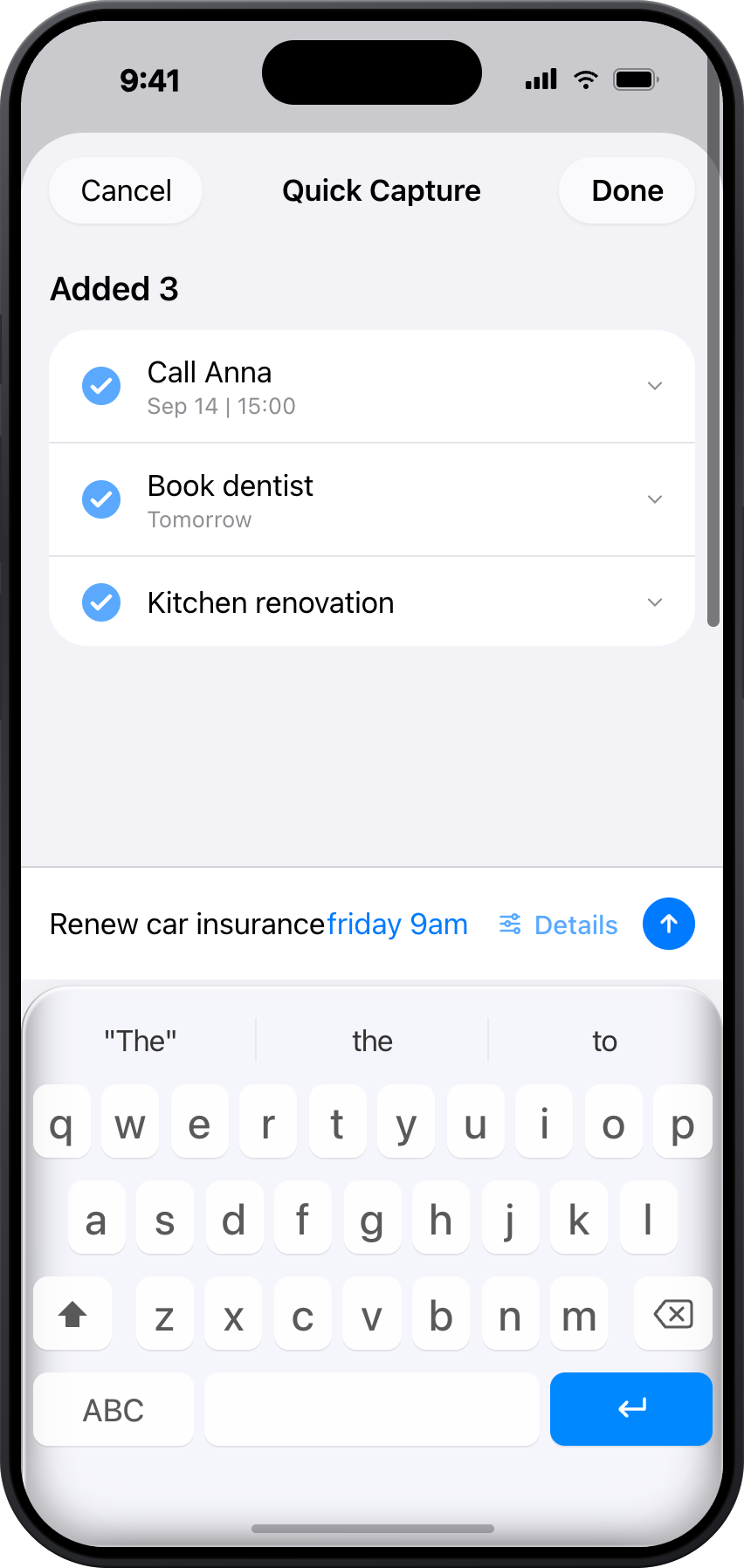
Capture every thought, task, and idea — don't organize, just get it out of your head.
Prioritize
Tag what matters. Mark items as ideas, to-dos, or notes. Add due dates to what's actionable.
Time block
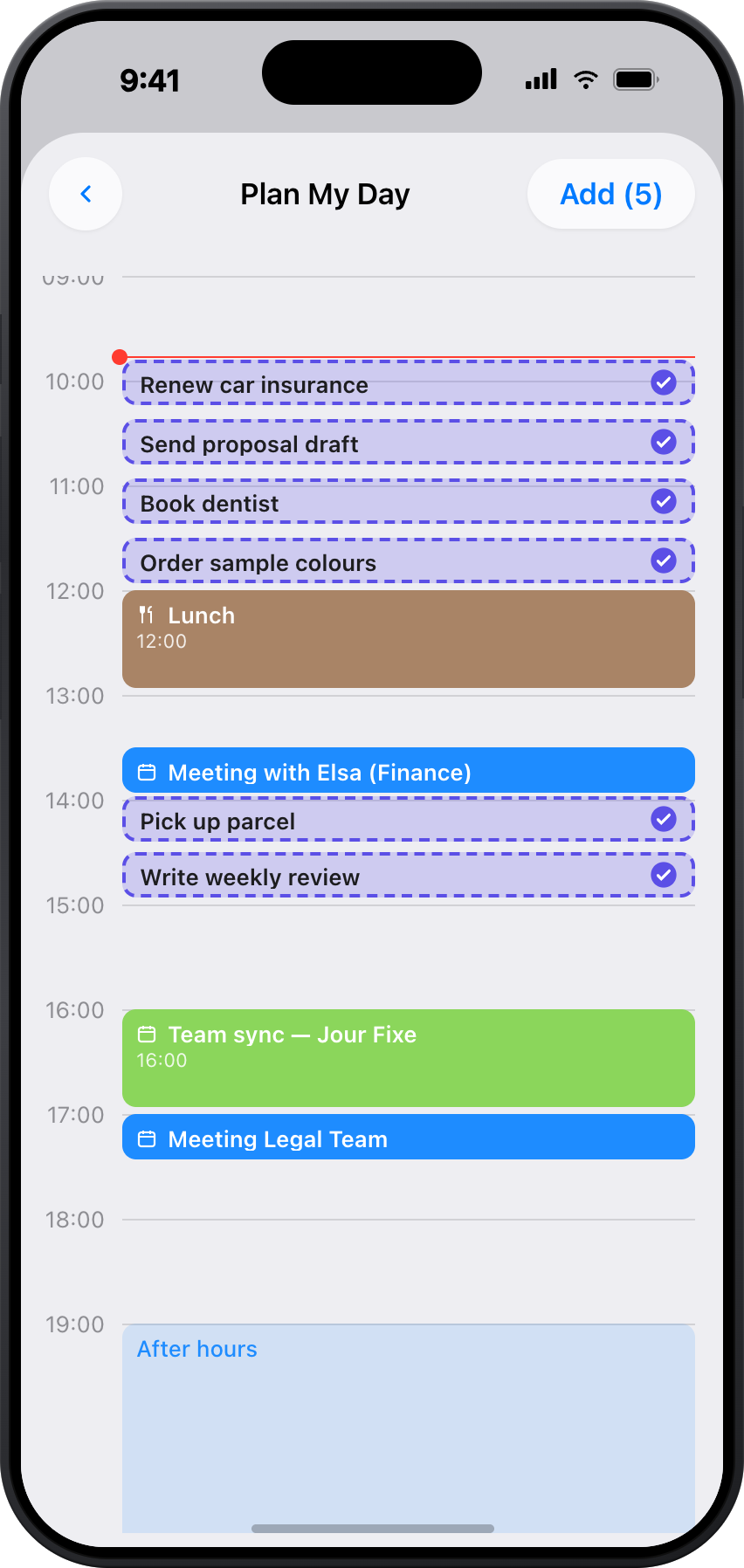
Assign times and durations on your daily timeline. Each task becomes a native Apple Calendar event.
Execute
Follow your timeline. Unfinished tasks wait for Plan Tomorrow — no rewriting, no guilt.
From Thought to Action
Ideas Become Tasks Become Plans
Start with a quick thought. Add detail and it becomes a to-do. Give it a time and it's in your calendar. Nothing falls through the cracks because everything is connected.
Ideas
Capture a spark — a thought, a project concept, a possibility
To Dos
When an idea is ready, give it a due date and it becomes actionable
Notes
Add context to any idea or task — details stay attached, never lost
How it works: Jot down "Learn Spanish." Later, add a due date — now it's a to-do. Attach a note with course links. Give it a time slot and it lands in your calendar. One item, zero friction.
Four Views, Zero Friction
The same items surface in different views depending on what you need. Your Hub shows the big picture, To Do shows what's actionable, Calendar shows what's scheduled.
Hub
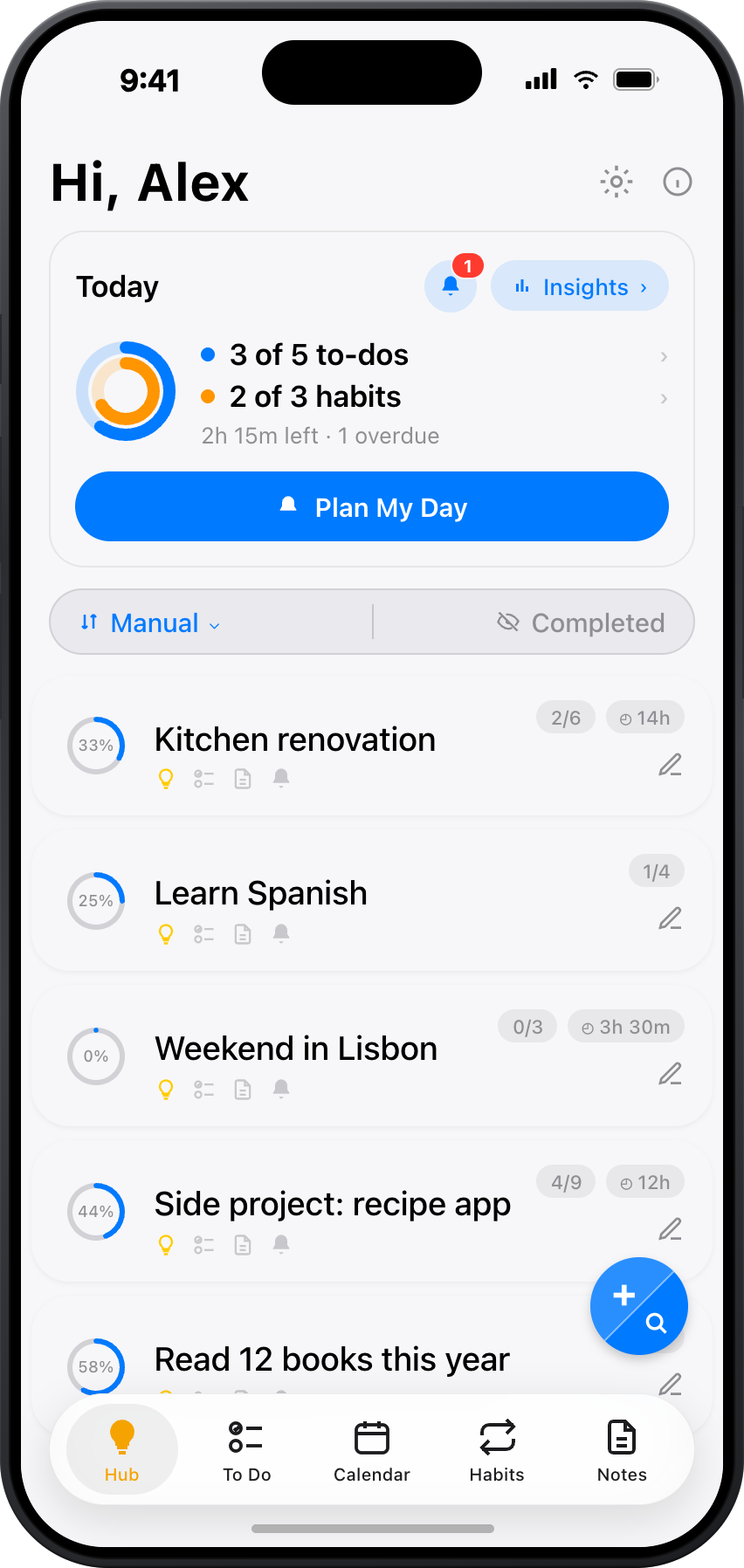
Your command center. Ideas and everything nested inside them.
To Do
Every to-do in one place, standalone or nested.
Calendar
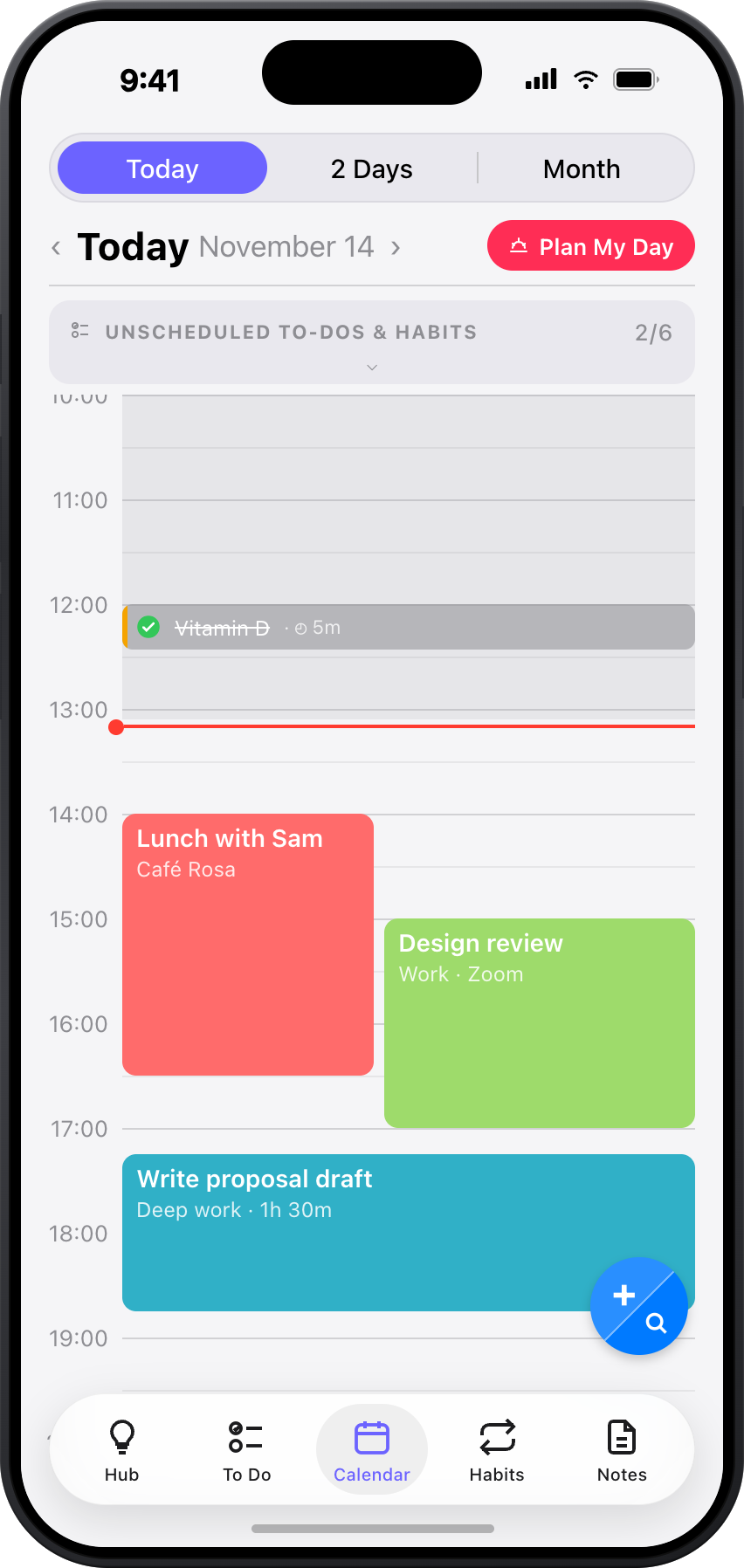
Time-blocked schedule with Apple Calendar events.
Notes
All your notes, standalone or nested.
Break Anything Down
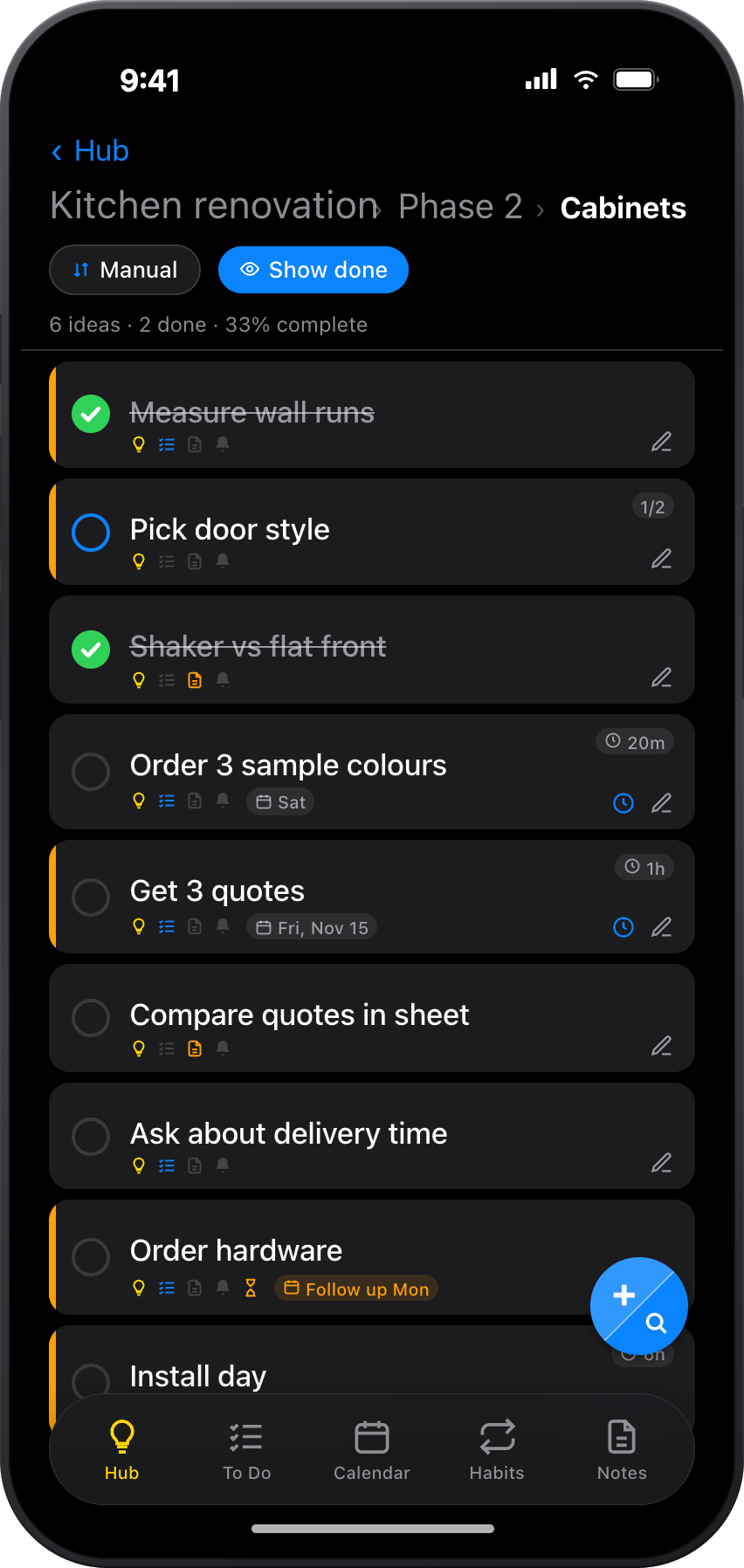
Nest ideas inside ideas, tasks inside tasks — as deep as you need. A vague "renovate the house" becomes a structured plan without ever leaving the app.
Start big: Create "Home Renovation." Nest "Kitchen" and "Bathroom" inside. Under Kitchen, add to-dos like "Pick countertop" and notes with inspiration photos. Each level can mix ideas, tasks, and notes.
Calendar
Your Timeline, Then Apple Calendar
You place tasks and events on ToBlock's daily timeline. Give a block a time and duration, and it can also appear in Apple Calendar. No copy-pasting — your day builds as you place the blocks.
Apple Calendar
Set a time and duration on your timeline — the task becomes a native Apple Calendar event
Conflict detection
Warns you when a task overlaps with an existing event
Next free slot
A collision warning offers the next free slot — you decide
Reminders
Time-based, location-based, daily overdue alerts, and evening planning reminders
Plan Tomorrow
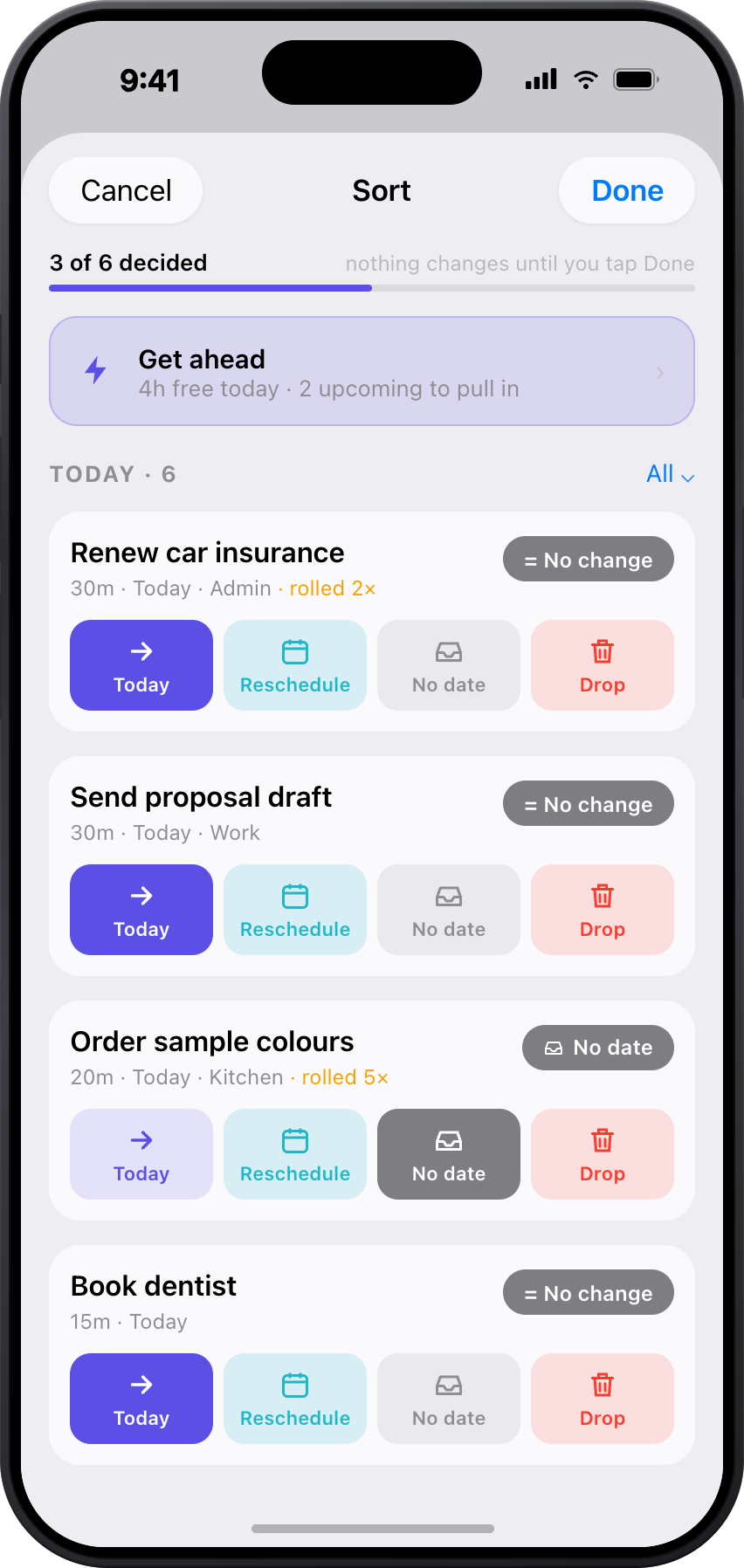
Review and schedule tomorrow's tasks from today's view
Four Calendar Views
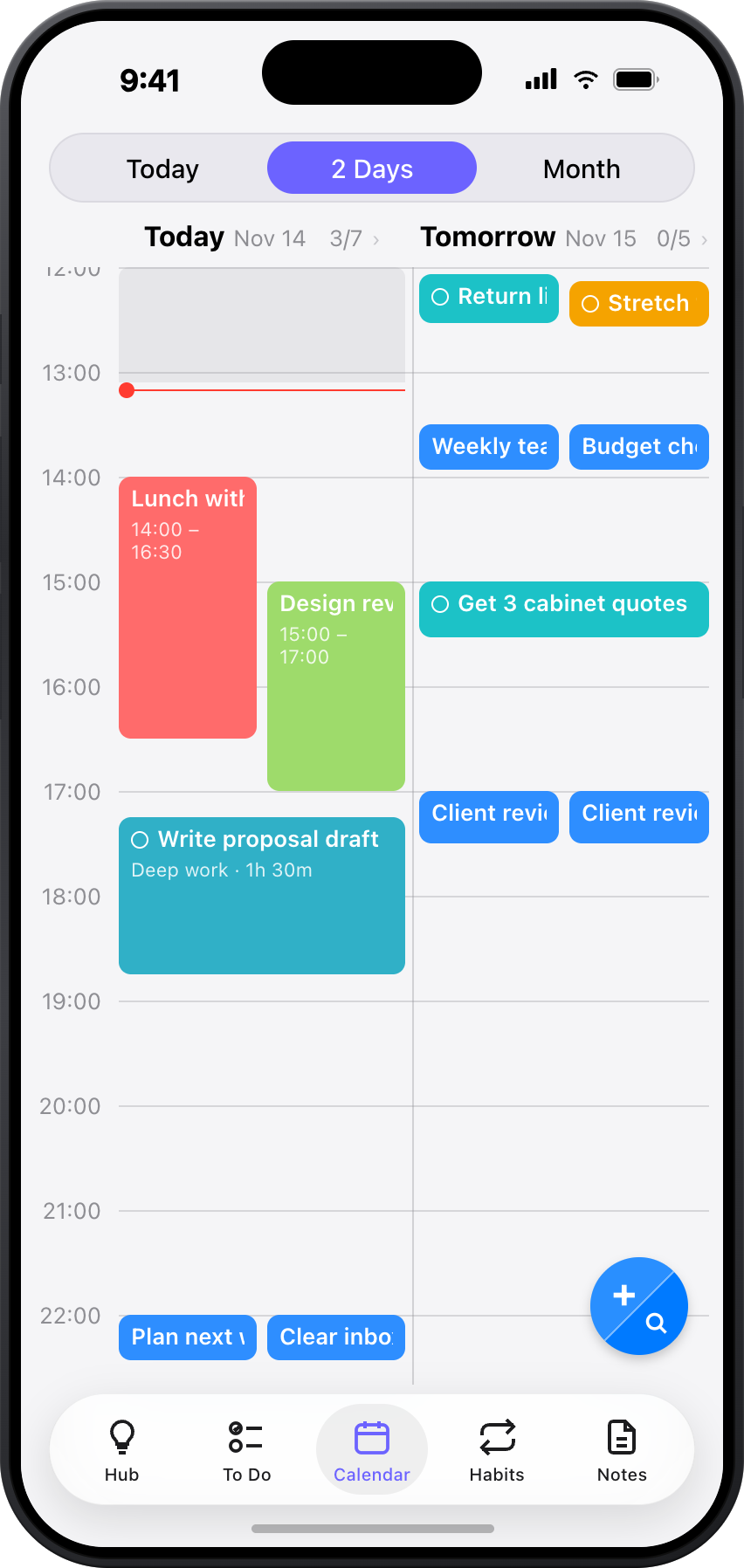
Four ways to see your schedule — from a focused single day to a full monthly overview.
Day
A single-day timeline with your tasks and calendar events
2-Day
Side-by-side view of today and tomorrow
Month
Monthly overview with task counts per day
Habits
Dedicated view showing your streaks and heatmaps

Evening Ritual
Plan Tomorrow Tonight
A 2-minute evening ritual: review what's left, move tasks to tomorrow, assign times. Wake up knowing exactly what your day looks like.
Tap 'Plan Tomorrow'
Open it in today's view to start planning.
Select tasks to move
Pick overdue and unscheduled tasks to move to tomorrow.
Assign times
Fill your schedule and wake up with a clear plan.
💡 Enable an evening reminder in Settings so you never forget.
Habits That Stick
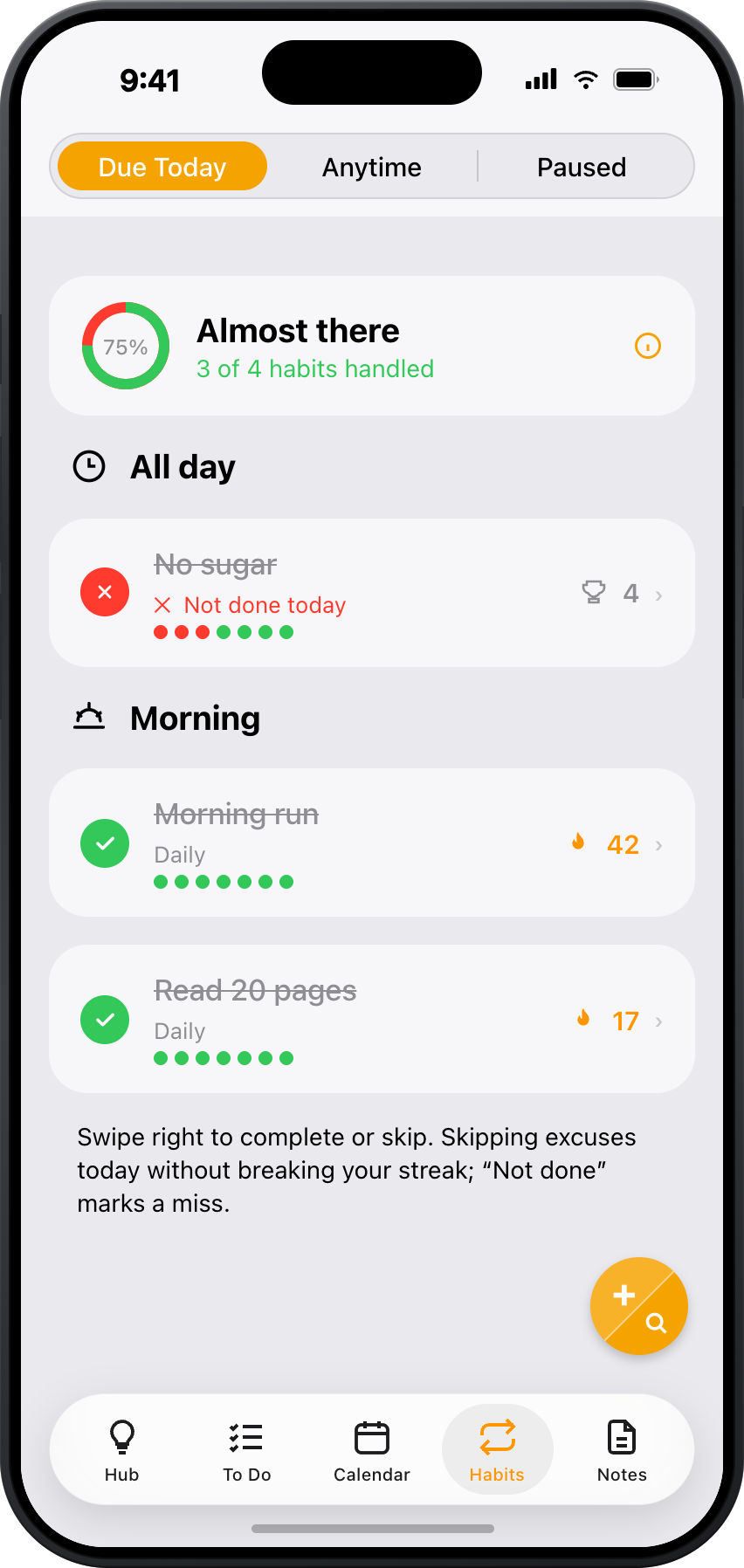
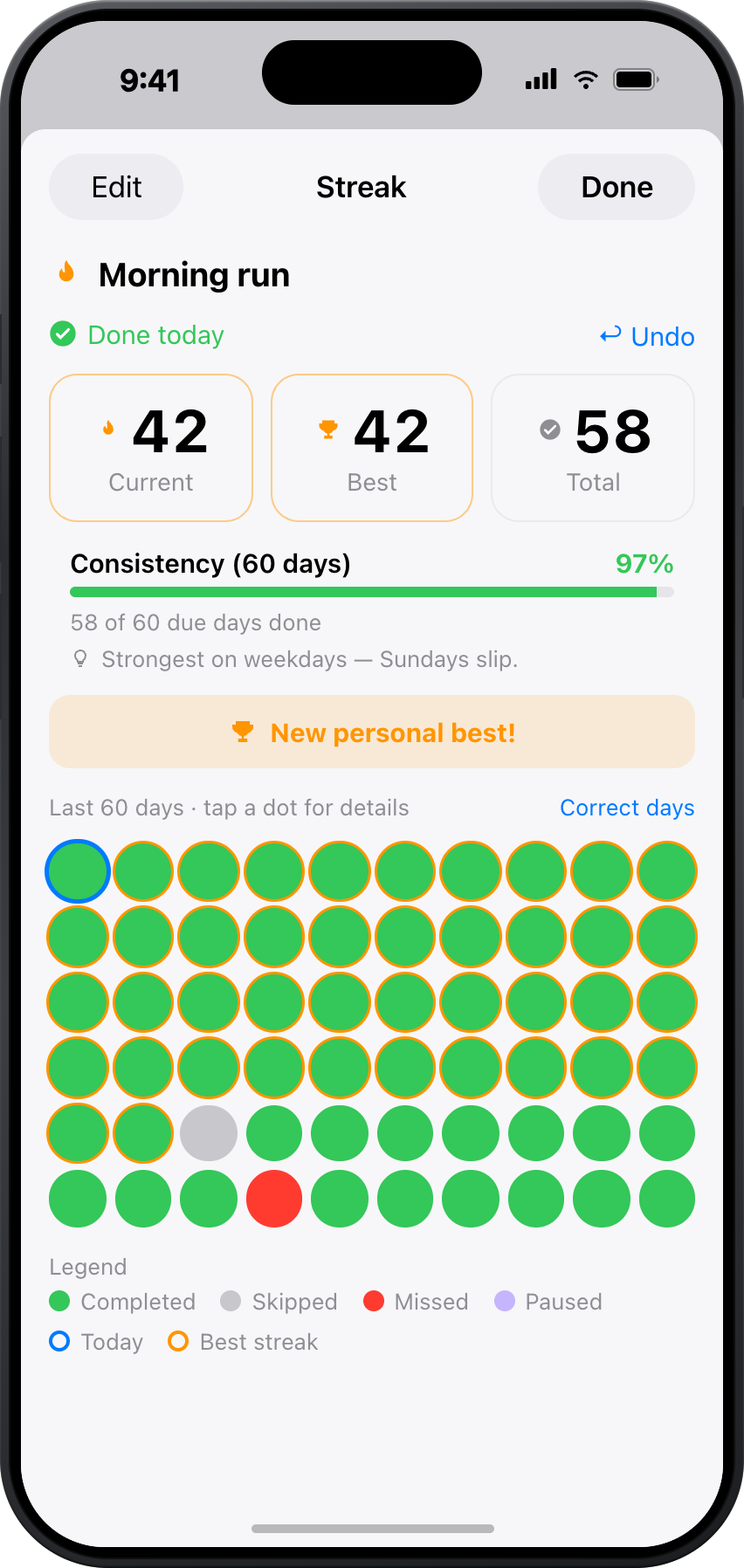
Turn any recurring to-do into a tracked habit. Watch your streaks grow on a heatmap. Even rotate through routines automatically — like alternating workouts or medications.
Tracking builds consistency. When you see your streak growing, you don't want to break it — and that simple visibility turns motivation into momentum.
Have multiple variations of a habit? ToBlock automatically rotates through them. Perfect for alternating workouts (upper body / lower body) or medications (Medicine A today, Medicine B tomorrow).
Take Medicine
Never Drop the Ball
Track items you're waiting on, protect weekly catch-up time, and reuse project structures with templates.
Waiting & Follow-Up
Mark a to-do as 'Waiting' when it's blocked on someone else. Set a follow-up date to be reminded to check back.
Flex Block
Schedule a weekly protected window for overflow tasks. ToBlock automatically suggests unfinished items to fill it.
Templates
Save any item structure as a reusable template — great for recurring projects, weekly reviews, or meeting agendas.
Try it: Mark "Get quote from contractor" as Waiting and set a follow-up for Friday. It moves to the Follow Up section so nothing slips through the cracks.
iOS Integration
Always Within Reach
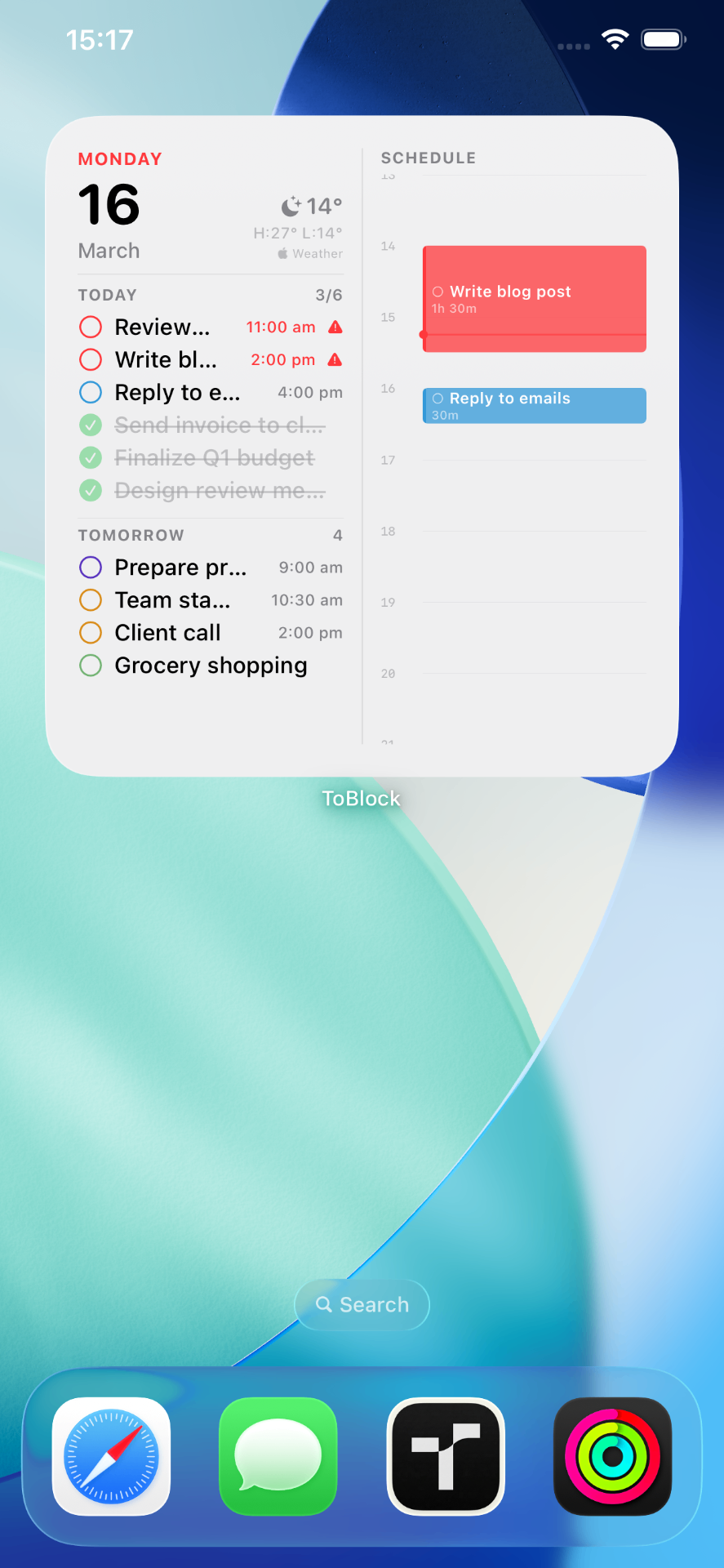
Home Screen widgets, Siri voice commands, Spotlight search, and a Share Extension — ToBlock meets you wherever you are on iOS.
Widgets
Dashboard, Today Todos, Calendar, and Progress Ring widgets for your Home Screen and Lock Screen.
Siri Shortcuts
Add ideas, tasks, or notes hands-free: "Add idea in ToBlock," "New task in ToBlock," and more.
Spotlight Search
Your items are indexed in iOS Spotlight — find them from the home screen without opening the app.
Share Extension
Share links, text, or notes from any app directly into ToBlock as an Idea, To Do, or Note.
Widget Types
Organization
Stay Organised, Effortlessly
Full-text search, colour tags, priority levels, smart auto-sections, and a safety net for deleted items — everything to keep your workspace tidy.
Search
Full-text search across all ideas, to-dos, and notes. Results appear instantly as you type.
Colour Tags
Assign colours for quick visual identification — they appear in lists, calendar, and widgets.
Priority Levels
Flag what matters most so the important stuff always rises to the top.
Smart Sections
To-do lists automatically group by Overdue, Today, Tomorrow, This Week, Later, No Date, and Follow Up.
Archive
Move completed projects to the archive to keep your workspace clean without losing anything.
Recently Deleted
Accidentally deleted something? Items are kept for 7 days before permanent removal.
Built Around You
Choose your start screen, pick a theme, fine-tune how timelines and reminders work. ToBlock adapts to your workflow, not the other way around.
Start Screen
Open to Hub, To Do, Calendar, or Notes
Themes
Light, Dark, or Night modes
Settings
Fine-tune timelines, reminders, and more
Head to Settings anytime to make ToBlock yours.
Security
Private by Design
In the ToBlock app, your data stays in your iCloud account. The app has no analytics or tracking of any kind (App Store privacy label: Data Not Collected). No ToBlock account to create. This marketing website is separate — see the privacy policy.
iCloud Only
App data lives in your iCloud account — we never see it and never store it on our servers.
Night Modes
Stealth Red and Stealth Green are distraction-free night modes designed for easy readability in the dark.
Export & Import
Full JSON backup and restore. Share via AirDrop, Files, or any method. Your data, your control.
Sync Monitoring
ToBlock monitors your iCloud status and alerts you if sync isn't available, so you always know your data is safe.
- ✓The ToBlock app: no analytics or tracking of any kind (App Store label: Data Not Collected)
- ✓Location-based reminders process on-device only
- ✓No account creation required — iCloud handles everything
- ✓Distraction-free night modes for easy readability in the dark
Your First Week
No learning curve. Just open and go.
Try it
Dump your tasks. Assign times. Watch your day take shape — somehow, you finish everything.
It clicks
You stop forgetting things. The evening planning ritual feels natural. Your calendar finally makes sense.
New normal
You wake up knowing exactly what your day looks like. Stress is down. You're getting more done with less effort.
Everything You Need, Built In
All your data syncs privately via iCloud across every device. No accounts to create, no servers to trust.
Learn time blocking, then make it yours
In-depth guides on the method, plus setups written for specific ways of working.
Guides
- Does your to-do list fit?Add durations. See if the day is possible before 9 AM.
- The Complete Guide to Time BlockingThe method, the science, and a step-by-step setup.
- Best Time Blocking AppsHow the five categories of tools compare — and who each fits.
- Time Blocking App for Apple CalendarWhy a placed calendar block beats another to-do list.
- Deep Work + Time BlockingProtect long, uninterrupted focus blocks.
Made for how you work
Frequently Asked Questions
Pricing
Try free for 14 days.
ToBlock Pro
Full access for 14 days — no commitment. After that, unlock everything.
$0.99/month — under $1 a month
or $9.99/year — under $1/month (save ~17%)
- Unlimited tasks & projects
- Timeline view
- Home Screen widgets
- Unlimited nesting & templates
- Full calendar integration
- Waiting & follow-up tracking
- Location-based reminders
- Habit tracking & heatmaps
- iCloud sync across devices