Blog
Tips, strategies, and insights on productivity and time management.
What Is Time Blocking? (Definition, Example, and How to Start)
Stop managing a to-do list. Start managing your time.
Time blocking is a planning method where you assign every task a specific start time and duration in your calendar, instead of keeping it on a to-do list. The calendar — not the list — becomes the plan for your day. If something isn't on the calendar, it isn't happening today; if the calendar is full, you're done adding.
That single rule is why it works, and why it feels uncomfortable at first. A to-do list lets you carry twenty items and feel productive. A calendar with eight working hours in it makes you choose.
In one sentence: Time blocking turns "what do I need to do?" into "when, exactly, am I doing it?"
This post covers the definition, a worked example, why the method works, how to start, and the mistakes almost everyone makes in week one. For the full method — the four variants, a 7-step system, templates and the science — see the complete guide to time blocking.
A to-do list and a time-blocked day, side by side
Same person, same Tuesday, same tasks.
As a to-do list:
- Finish proposal draft
- Reply to Anna about the contract
- Prep slides for Thursday
- Team stand-up (10:00)
- Call the dentist
- Review Jonas's PR
- Read the two onboarding docs
- Gym
Looks doable. Add the durations up honestly — proposal 2 h, slides 1.5 h, PR review 45 min, docs 1 h, emails and calls 45 min, gym 1 h, stand-up 30 min — and it's 7.5 hours of work plus commuting, lunch and the interruptions you didn't plan for, on a day that already has a meeting in it. Most people don't discover that until 5 pm.
As a time-blocked day:
| Time | Block |
|---|---|
| 08:30–10:00 | Proposal draft (deep work, notifications off) |
| 10:00–10:30 | Team stand-up |
| 10:30–10:45 | Buffer |
| 10:45–11:30 | Review Jonas's PR |
| 11:30–12:00 | Email + call dentist + reply to Anna |
| 12:00–13:00 | Lunch |
| 13:00–14:30 | Slides for Thursday |
| 14:30–15:00 | Buffer / overflow |
| 15:00–16:00 | Onboarding docs |
| 17:30–18:30 | Gym |
Everything fits — because the proposal got 90 minutes instead of the two hours it "needs", and the second hour of slides moved to Wednesday. That decision was made at 08:25 with a clear head, not at 16:45 in a panic. That's the whole method.
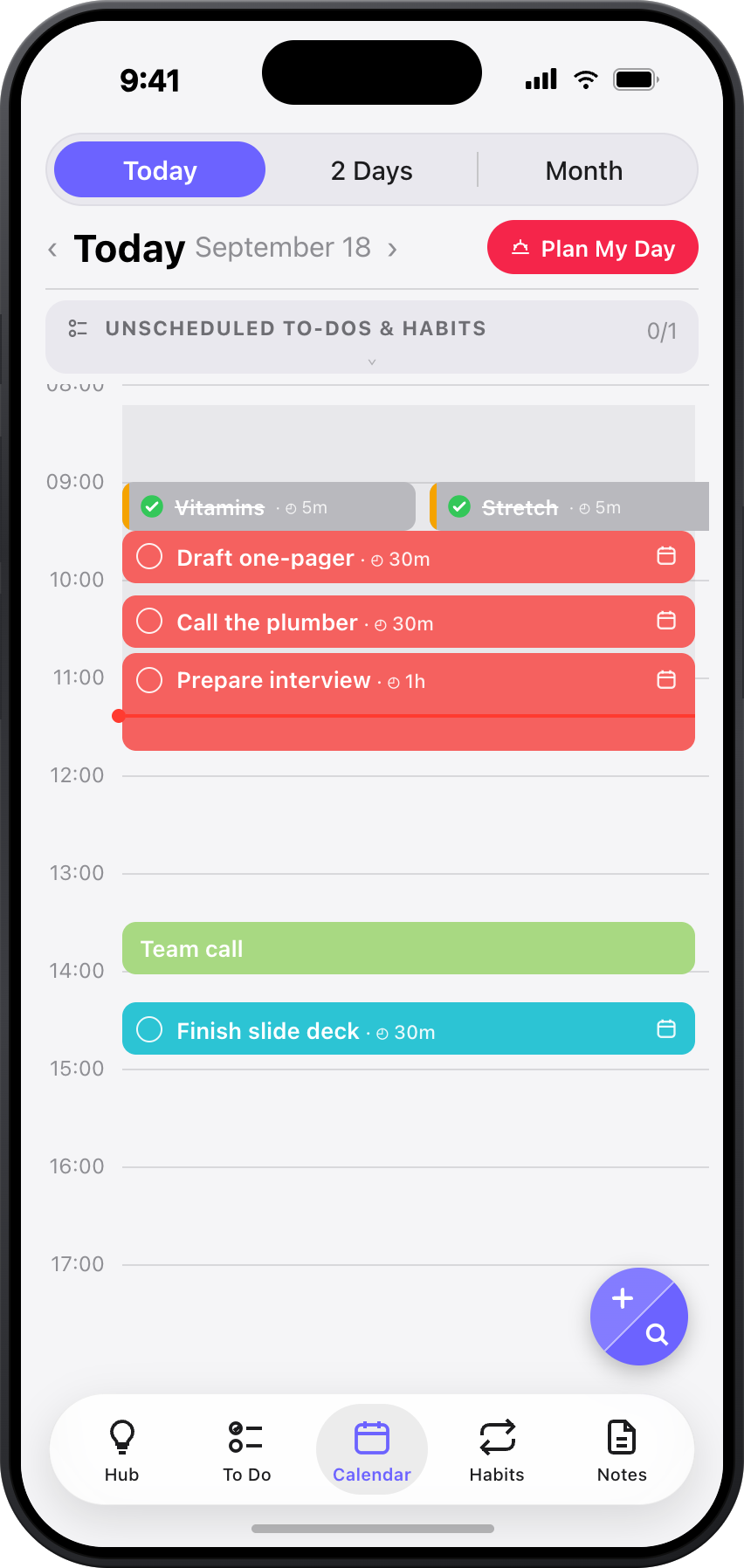
Why time blocking works
It makes time visible. A list has no edges. A calendar has exactly 24 hours, and the visible ones fill up. You see overcommitment before it happens instead of after.
It removes the "what next?" decision. Every time you finish something on a to-do list, you have to choose again — and the loudest, easiest item usually wins. With blocks, the choice was made once, in advance, when you could think about it.
It protects the work that matters. Important work rarely feels urgent. A 90-minute block at 08:30 gives it a place to exist that email can't take over. This is also why time blocking is the standard scaffolding for deep work.
It teaches you how long things really take. After two weeks of blocking, you know that "a quick PR review" is 45 minutes and "finish the proposal" is a three-session job. Your estimates get better, and better estimates are most of what "being organised" actually is.
It gives you a clean end to the day. When the last block is done, the day is done. Lists never end; calendars do.
Plenty of productivity writing dresses this up with cognitive-science citations. The honest version: the mechanisms above are mostly about making constraints visible and decisions early. That's enough — you don't need a study to notice that 20 items don't fit in 8 hours.
Time blocking vs. time boxing vs. task batching
People use these interchangeably; they're different tools.
- Time blocking — assign a task (or type of work) to a slot. "Proposal, 08:30–10:00."
- Time boxing — cap how long you'll spend, and stop when the box ends even if you're not finished. "30 minutes on inbox, then stop." Good for tasks that expand to fill available time.
- Task batching — group similar small tasks into one block so you switch context once, not ten times. "All calls and emails, 11:30–12:00."
Most time-blocked days use all three: blocks for the big work, a box around email, batching for the small stuff. See time blocking vs. to-do lists for the longer comparison.
How to start time blocking (the 10-minute version)
You don't need a system, an app, or a fresh Monday. You need ten minutes and tomorrow's calendar.
- Write everything down. Every task on your mind, unfiltered, in one place.
- Pick the three that matter. If only these got done, tomorrow would still be a good day.
- Give each a start time and a duration in your calendar. Put the hardest one in your first free morning slot. Estimate, then add 50% — everyone underestimates.
- Fit in the small stuff around your fixed events. Batch calls and email into one block. If something doesn't fit, it moves to another day. Don't squeeze.
- Leave gaps. 10–15 minutes between blocks, and roughly a quarter of the day unplanned for what will inevitably come up.
- Tomorrow evening, look back for two minutes. What ran over? What got skipped? Adjust the next day. This review is where the method actually improves.
The best time to do steps 1–5 is the evening before — 15-minute evening routine.
The four mistakes almost everyone makes in week one
Blocking 100% of the day. The plan looks beautiful and dies at 10:15 when the first thing runs over. Leave slack; a plan with gaps survives.
Estimating like an optimist. "Finish proposal — 1 hour." It has never been one hour. Track actuals for a week and your estimates will fix themselves.
Treating a missed block as failure. Days break. The point of the calendar is that moving a block takes five seconds; the point is not that you hit every block. If you're re-planning at lunch, the system is working.
Planning in the morning. By the time you sit down to plan, the day is already pulling at you. Plan the night before; execute in the morning.
Who uses time blocking?
Anyone whose day has more demands than hours: knowledge workers, founders, students in exam season, freelancers juggling clients, and — with a few adjustments — people with ADHD, for whom making time visible is often the single most useful change. Specific guides: students, freelancers, ADHD.
The method is most associated with Cal Newport (Deep Work), who plans every working hour in blocks. You don't need to be that extreme. Three blocks a day, planned the night before, gets you most of the benefit.
Do you need an app?
No. Paper and a calendar work. What an app removes is the friction: copying tasks into the calendar by hand, noticing conflicts, and rolling over what didn't get done.
That's what ToBlock does: give any task a time and a duration and it becomes a native Apple Calendar event. Collision warning if it overlaps a meeting, unfinished work carries forward, Plan Tomorrow is a two-minute evening ritual. You still place the blocks. Your plan lives in the calendar you already use — not in another list.
FAQ
What is time blocking, in simple terms?
Putting your tasks on your calendar with a start time and an end time, so your day is a schedule instead of a list.
How is time blocking different from a to-do list?
A to-do list says what. Time blocking says what and when, and forces you to fit everything into the hours you actually have.
How long should a time block be?
Long enough to get into the work and short enough to hold your attention: 60–90 minutes for focused work, 15–30 for admin and email. Add a 10–15-minute buffer after anything that tends to overrun.
Does time blocking work if my day is unpredictable?
Yes, if you plan for it: block only the two or three things that matter, leave a quarter of the day open, and re-plan in three minutes when things change. Rigid time blocking fails; flexible time blocking is the point.
Is time blocking good for ADHD?
Often, yes — it externalises time, which is exactly what time blindness makes hard. Fewer, bigger blocks with visible timers and generous buffers work better than a dense schedule. More in ToBlock for ADHD.
Should I time block in the morning or the evening?
Evening. You decide with a clear head and wake up executing. Morning planning is a fine fallback if evenings aren't available.
TL;DR
- Time blocking = every task gets a start time and duration in your calendar.
- It works because it makes time visible, removes "what next?" decisions, and protects important work.
- Start with three blocks a day, planned the night before, with buffers between them.
- Missed blocks aren't failure — moving them is the system working.
- ToBlock removes the copying, conflict-checking and rollover (you still place the blocks).